In Aimgod: The day, live now
A Personal Day Planner for Work, Study and Family: Five Real Days
What a personal day planner looks like in five lives: a designer, a freelancer, a founder, a student and a parent. Real Aimgod days, one calm list each.
 By Oleksandr Sendziuk · 6 min readFollow on LinkedIn ↗
A client call at 11:00. The gym at 18:00. A school run in between, and one task you have moved three days in a row. Work sits in one app, family in a calendar, the rest in your head, and half the morning goes on finding your own day. A personal day planner holds all of it in one short list, because every day has the same shape: a few things with a time, a few without, and one or two that matter more than the rest.
Below are five daily planner examples: a designer, a freelancer, a founder, a student and a parent. By the end you will know how to set up your own day the same way: which parts of life get a colour, which tasks get a time, which get steps.
Here is the first one, a designer's day. It shows itself, then it is yours to move around. Nothing is saved, so break whatever you like.

A personal day planner, one list per life
The day above stands on three ideas, and so do the other four.
- Spheres. A sphere is a part of your life with its own colour: Clients, Design, Health, Family. The row takes the colour of its sphere, so a glance at the list tells you what kind of day it is.
- A time in two taps. Tap the time and a ruler unfolds. Slide, let go, done. Tasks with a time go first, the rest keep the order you gave them.
- Steps. A task that is really three tasks gets subtasks, and the row shows 1/3 until it is done.
That is the whole system. The five days differ only in what goes into it.
Get the free 2027 Planning Kit
9 printable pages: your year on one page, 3 goals with a plan for the obstacle, a 90 day map, the weekly review, a daily page and a 67 day habit tracker. Plus one calm letter a week.
We only use your email to send the letter. Privacy
Creative work: a designer's day
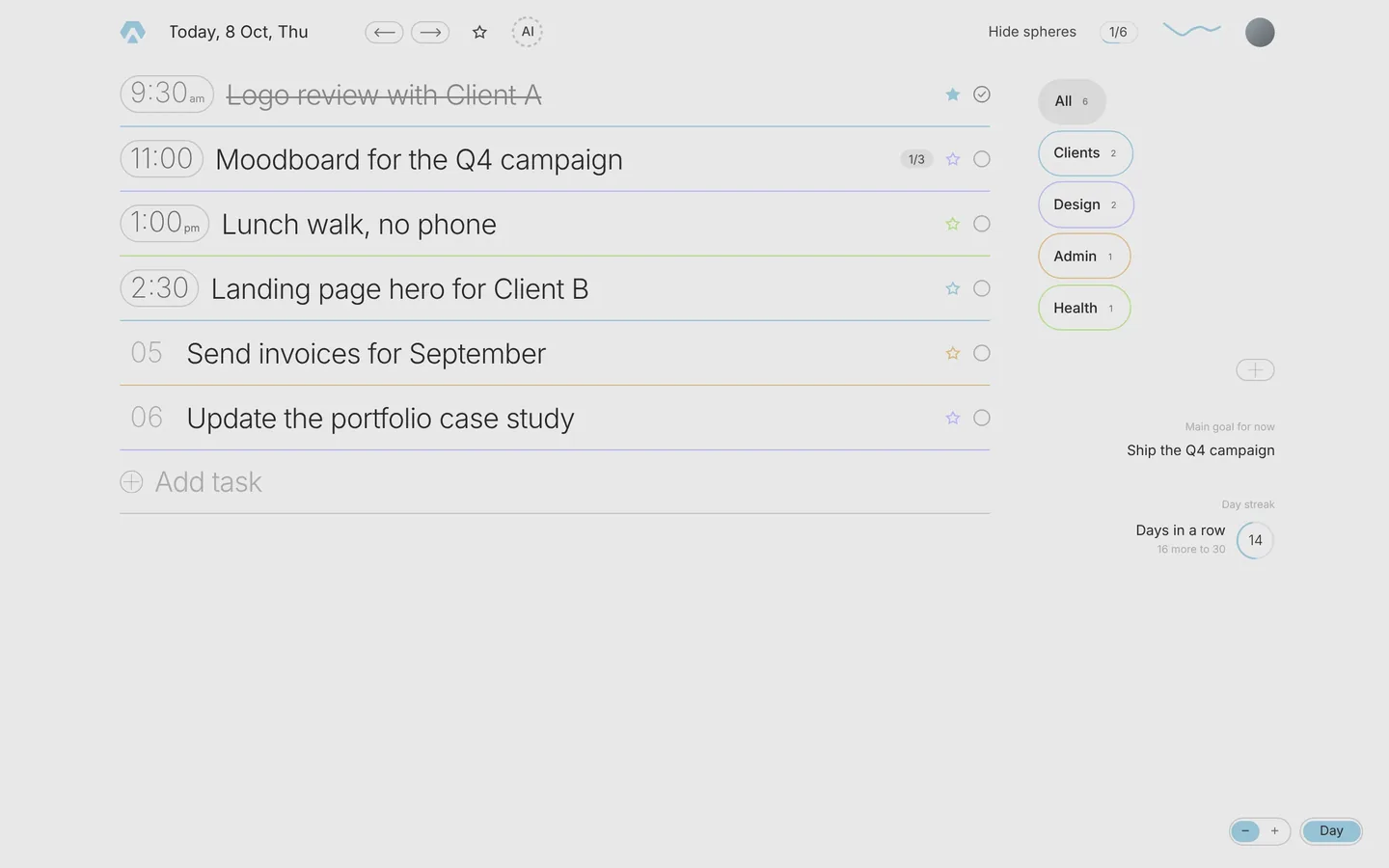
This is the day at the top of the post. Three spheres do the work here: Clients, Design, Admin. The morning starts with a logo review for a client, the afternoon is a moodboard with three steps, and the lunch walk has a time of its own so it does not get eaten. Invoices sit at the bottom without a time. They will get one when the day shows a gap.
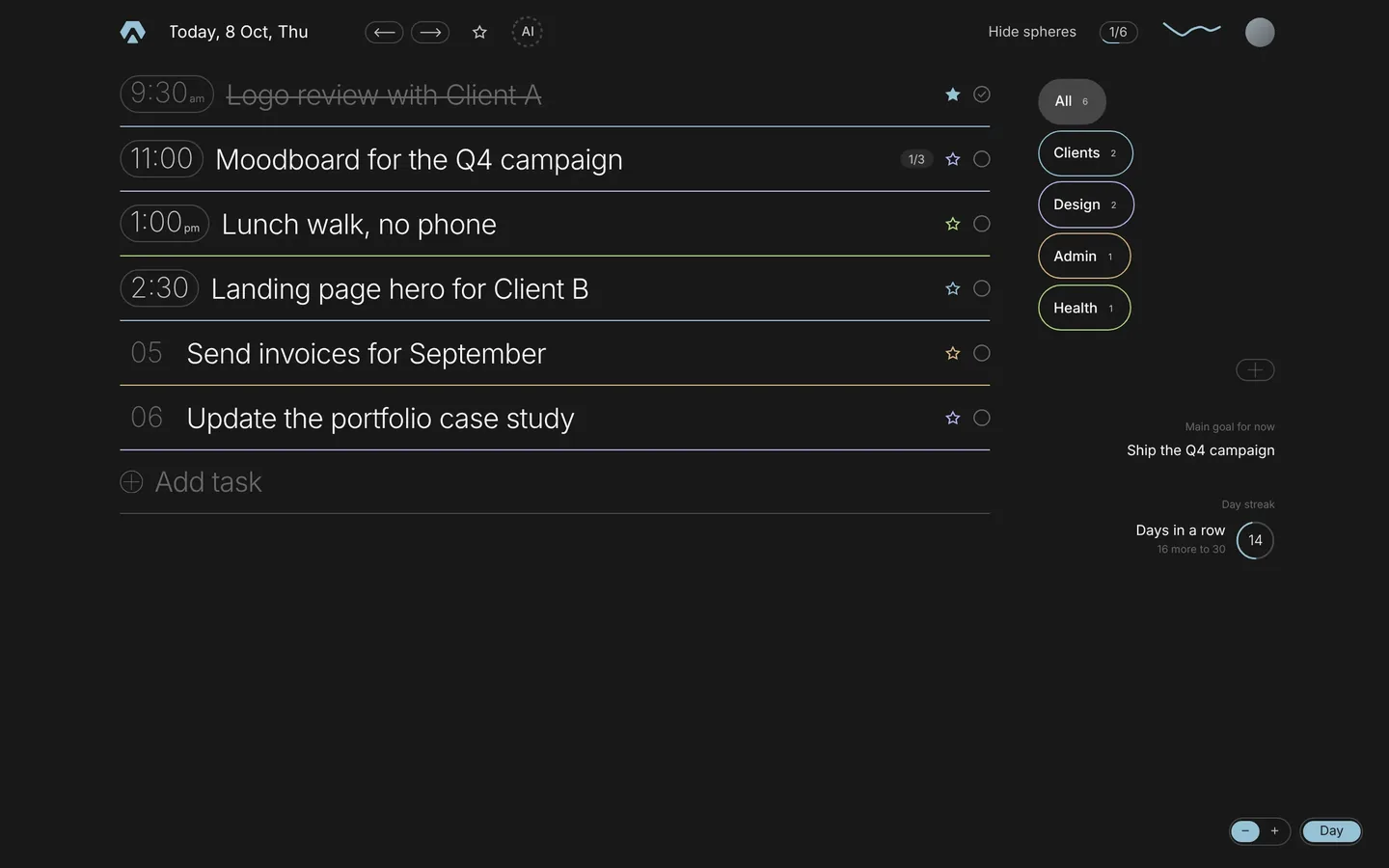
The compact view fits more rows on a laptop. The rest of the day is the same as in the full view, and it follows the same rules as how to plan your day when you have too many tasks.
Freelance: five clients, one short list
A freelancer's day is a day of switching. Aimgod does not fight that. It puts deep work first with a fixed time, then a discovery call, then a proposal broken into Scope, Timeline and Price. New business gets its own sphere, so at the end of the week the dashboard shows whether sales got any hours at all.
The main goal for now sits on the right: three retainers by December. It is there every morning, which is the point. See three horizons of planning for why a goal belongs next to the day.
Founder: sales calls and a bike ride in one week
Founders live in the week more than in the day, so this one is the week view. Workouts repeat on their own, sales calls have times, support replies and investor updates land where there is room. The weekend holds a family lunch and a bike ride, in their own colour, so they are as real as the Monday call.
Drag a task to another day and it moves. Open one and give it a sphere. The week is the same list, laid out seven times.
Study: lectures, an essay in steps, a shift at the café
A student's day is a mix of fixed slots and long tasks that never fit in one sitting. The lecture and the café shift have times. The essay is one task with steps, so "write 500 words" is a row you can finish today, and the rest waits without nagging. The gym with a friend is in the Body sphere, because a day without it is a worse day, and the colour makes that visible.
Family: school runs that repeat, shopping as steps
A parent's day is full of things that happen every day. The school run repeats on weekdays and is done before the list is even opened. Groceries and meal prep is one task with the shopping as steps, so the list stays short. The freelance hour has a star, because it is the one block that is only for her. The full size view is on here: fewer rows on the screen, each one easy to read with the phone in one hand.
Which one is yours?
Probably two of them. That is what a daily planner for work and personal life has to hold. Most people's days are a mix: some client work, some study, some family, some body. Spheres exist for that. One day planner app, one list where each part has a colour, and a week view that shows whether the colours are in balance.
Start with three spheres. Three are free, and so are Planning, Aimgod Goals, Aimgod Focus and the dashboard. The only paid thing is more than three spheres. The same list works with other people too: share a sphere and each person sees their part of the day.
Tonight, write tomorrow as one list. Name three spheres. Put a time on the three tasks that have one. Break the biggest task into steps. The demo at aimgod.com opens without an account, and why I built it this way explains the rest.
FAQ
Is Aimgod a personal day planner or a team tool?
Both. It starts as a personal day planner: your day, your spheres, your goals. Share a sphere and the same list holds a family or a team, see shared spheres and how to plan work for a team.
Can I use one daily planner for work and personal life?
Yes, that is what spheres are for. Work, Health and Family each get a colour on the same list, and the day filters by sphere in one tap. The dashboard shows which spheres get your time.
Do I need the week view to plan my day?
No. Most days are planned in the day view with one short list. The week view is for the moments when you need to see the shape of the week: what repeats, what moved, and where the gaps are.
Terms used in this guide: Daily planning, Time ruler, Deep work, Star, Subtask, Goal, Horizon, Focus, Three horizons, Sphere
Aimgod in three facts
- $0
- to plan your days, on the web and in the iPhone app
- Web + iPhone
- the same day on both, changes land in seconds
- Goals, Focus
- both sections are free, next to the day